Lecture PDF to Mind Map: How to Turn Slides and Notes Into a Study Map
You have a 60-slide lecture PDF and an exam in two weeks. Reading it top to bottom again will not tell you what matters or how the parts fit. A mind map will. Here is how to turn a lecture PDF into a mind map in fork ai, using only your phone, and how to study from it once it exists.
What you get when you upload a PDF
You upload the file. fork ai reads the text, works out the main topics, and builds a map: one node for the whole document, with branches for its main parts. Then it writes notes inside each node, starting from the top and working down.
You do not draw anything. The map is there to show you the shape of the lecture before you read a word.
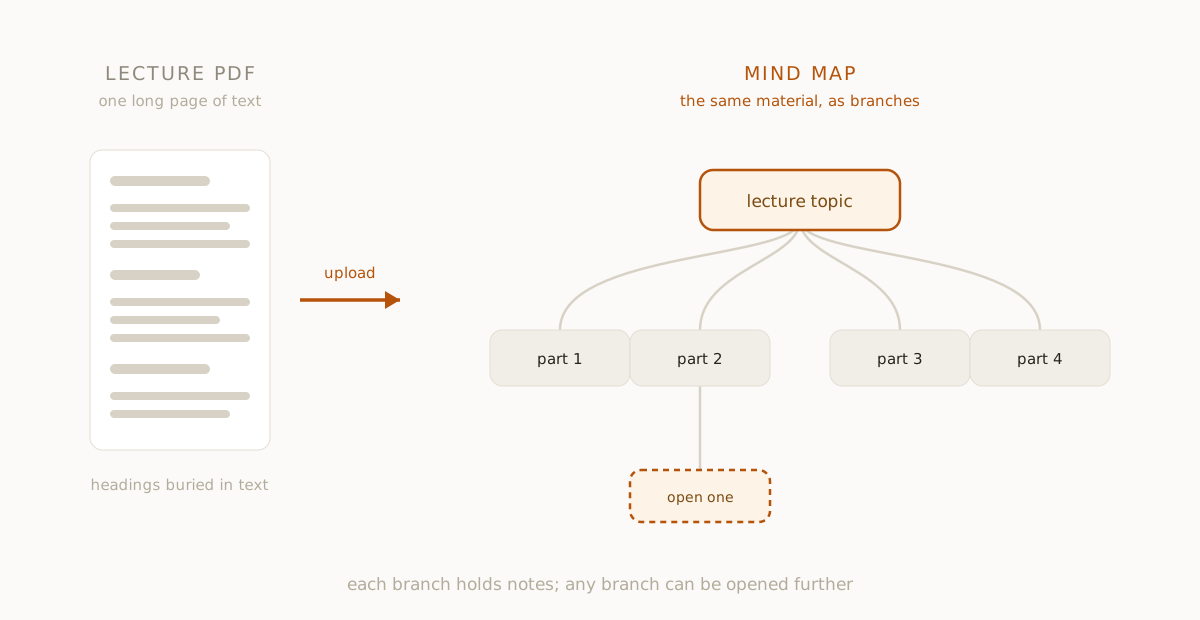
Step by step on your phone
- Open forkai.in in your phone's browser. fork ai is also on iPhone.
- Sign in. Uploading needs an account, and new accounts start with $5 of free credit.
- On the first screen, tap the document icon next to the question box.
- Pick your file. It accepts PDF, plain text, Markdown and images.
- Wait while it reads the file. Scanned pages show a progress bar while the text is read from the images.
- Watch the map appear. The branches show up first, then the notes fill in, top to bottom.
If you would rather start from a question than a file, the same screen takes one. That is a different job, covered in studying with AI.
Slides, notes or both
Slides work, but they are thin. A slide often holds six words and a diagram, and the diagram does not come through as text. If your lecturer also gave handouts or you typed notes, upload those. A text file or a Markdown file of your own notes gives the map more to work with than slides alone.
Do one lecture per upload. A map of one lecture is easy to scan. A map of a whole module is just a bigger pile.
The limits, so they do not surprise you
fork ai tells you less than you might want here, so check these yourself.
- Long files are cut. In the app, text is read up to about 40,000 characters, and a text PDF is read up to its first 50 pages. After that it stops. A 150-slide deck will not be read to the end, so split it and upload it in parts.
- Scans depend on the page. If a PDF has no text layer, fork ai falls back to reading the page images, which works on the first 10 pages only and is set up for English. Blurry photos, handwriting and angled shots will come out badly or not at all. If it finds almost no readable text, it says so instead of making a map.
- Diagrams are not read. Charts, graphs and labelled drawings are not turned into notes. If the diagram matters, you will need to open it yourself.
- The notes are written by an AI. They are meant to follow your document, but they can be wrong or add things your lecturer did not say. Check anything you will be examined on against your slides.
- The map has a limit too. A single document produces a main node and up to about eight branches. That is a good overview, not a replacement for the lecture.
Read the map before you read the notes
Resist the urge to start at the first node and read everything. First, look at the branch titles only. Ask yourself two things for each one: can I explain this in two sentences, and would I be able to answer an exam question on it?
Mark the answer in your head, or on paper. You are sorting the lecture into what you know, what you half know and what you do not. This takes five minutes and tells you where your time should go.
Open one branch
Pick the branch you are least sure about and open it. Read its notes. When a sentence loses you, highlight it and tap Ask AI. The question you ask becomes a new branch under that node, anchored to the exact words you selected. The rest of the map does not change.
If a whole section is too thin, use Go deeper on it instead. That makes a new node for just that section.
This is the part that matters. A map you only look at is a nicer-looking summary. A map you open, question and add to is something you have studied. The longer method is in how to revise from a mind map.
Keep it
The map is saved in your history, so you can come back to it the night before the exam and see which branches you already opened. If you want it elsewhere, it can go to Notion. For why a map beats a pile of notes for this, see mind map research.
Questions people ask
Can I use a PDF of lecture slides? Yes, if the slides have real text in them. Slides that are just pictures need the page-reading step, which handles 10 pages, so they work best as a short deck.
Is there a size limit? Yes. About 40,000 characters of text, or the first 50 pages of a text PDF, are read in the app. Anything past that is left out.
Does it make flashcards or quizzes? No. It makes a map and notes. You test yourself by asking questions on the branches.
Your next step
Upload one lecture, wait for the map, and open one branch you are not sure about. That is all you need to do today. Start at forkai.in.
fork ai turns any question into a branching map you can explore, highlight, and keep. Try it free.
Start researching →